
Art of Solitaire - Card Games
Flick Games - Solitaire & Patience Card GamesCard
4.01.75K Reviews
- Version
- 3.02.06
- Installs
- 1.00M
- Age Rating
- Everyone
Screenshots
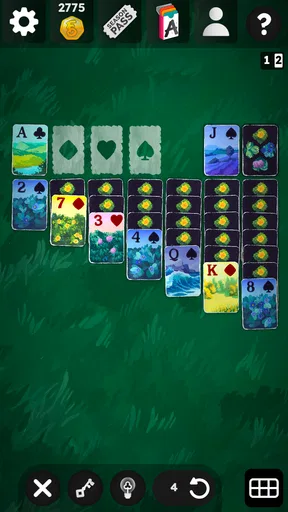
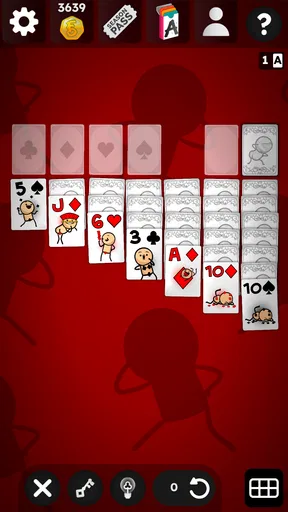
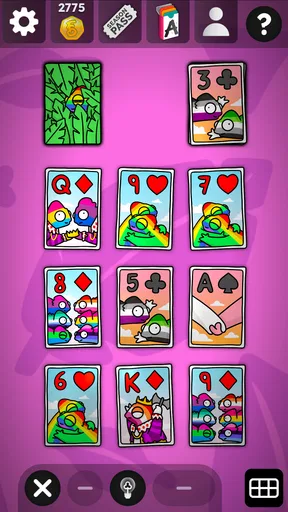
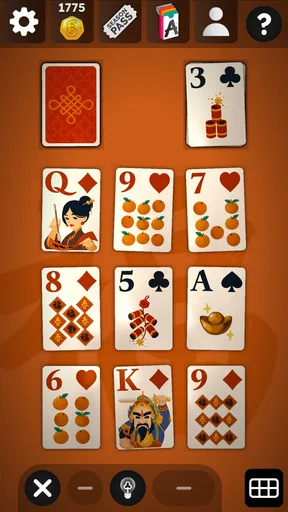
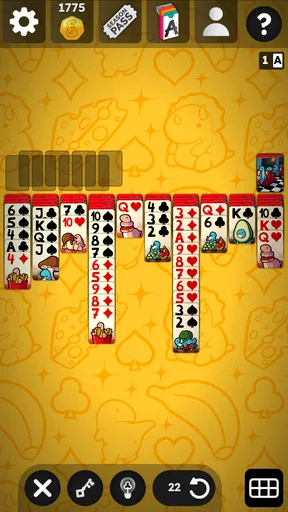
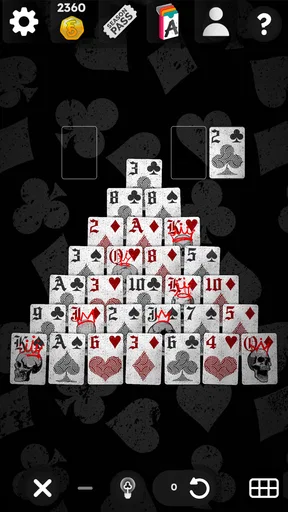
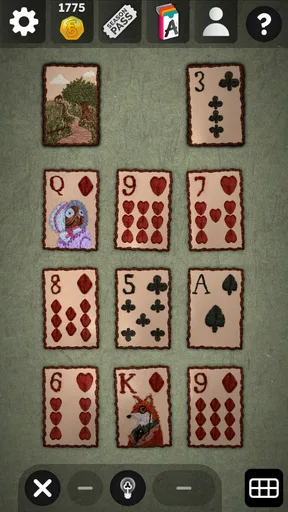
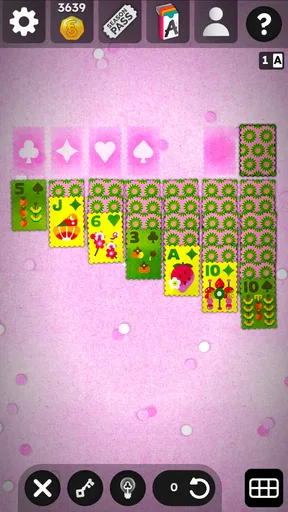
Our Review of Art of Solitaire - Card Games
 Analysis by Appyee
I usually turn to solitaire when I want something quiet, familiar, and easy to pause, but Art of Solitaire - Card Games gives that simple idea a more curated feel. It is a free card game from Flick Games - Solitaire & Patience Card Games, built around classic formats rather than a large collection of unrelated distractions. The main choices include Klondike Solitaire, Spider, and Pyramid, so I can switch between a traditional patience game and something that asks for a different kind of planning.
What makes it stand out is the way it treats solitaire as a visual experience as well as a puzzle. The store summary also points to collaborations with Inscryption and Monument Valley, which gives the game a more distinctive identity than the standard green-table layout I associate with many basic solitaire apps. I would not call it a replacement for every card game, but it is an appealing option when I want recognizable rules with a little more atmosphere.
Getting started without unnecessary frustration
The first thing I would check is whether the device meets the basic requirement. The game runs on Android 8.0 or later, and the current version is 3.02.06. That matters if you are installing it on an older phone or tablet: before troubleshooting anything inside the game, confirm that the operating system is supported and that the installation has finished properly.
Because the game is free to install, it is easy to try without committing money at the beginning. There are in-app purchases ranging from $0.99 to $34.99 per item, so I would still look carefully at any purchase screen before confirming it. The free entry point is useful for casual players, while the presence of optional purchases means families may want to keep the usual device purchase controls in place.
The age rating is Everyone, which fits the straightforward nature of the card formats. That does not mean every player will enjoy it equally. Someone looking for fast action, competitive matchmaking, or a deep role-playing progression system is likely to find the experience too measured. Its appeal is closer to a calm puzzle break than to a constantly changing arcade game.
If the app seems slow to open after installation, I would begin with ordinary checks rather than assuming the card game itself is broken. Close other demanding apps, restart the device, and make sure there is enough free storage for the installation and routine updates. These steps are especially sensible on older hardware, where a visual presentation with richer artwork may feel heavier than a very plain solitaire clone.
Another useful setup habit is to decide where the game fits into your routine. I prefer using solitaire apps in short sessions, such as while waiting for an appointment or winding down before bed. If you plan to play during travel, test the game before leaving home so you know how it behaves in your normal conditions. That simple trial can reveal whether the experience suits your connection, battery expectations, and available screen space.
Why players may get stuck
The rules themselves are familiar, but the three included formats do not ask for the same mindset. Klondike is the version most people recognize, with a balance between uncovering cards and building ordered piles. Spider demands more deliberate sequencing, while Pyramid focuses on finding pairs that remove cards. If a session suddenly feels difficult, the problem may be a mismatch between the mode and the way you are currently thinking, not a fault with the app.
My practical advice is to use Klondike as the starting point if you want the gentlest introduction. It lets you settle into the visual layout and card movement before trying Spider or Pyramid. Spider can punish an impulsive move because opening one column may create another problem later. Pyramid, meanwhile, rewards scanning the whole arrangement instead of staring only at the most obvious pair.
Small-screen play can also create avoidable mistakes. On a phone, cards and piles have less room than they would on a tablet, so tapping too quickly can make it harder to see the consequences of a move. I find it better to pause for a second before moving a card, especially when several piles are close together. If the interface feels cramped, rotating the device or using a larger screen may be more helpful than changing the game’s settings.
One of the less obvious trade-offs is that visual style can compete with pure efficiency. A very minimal solitaire app may let me process the board instantly, while Art of Solitaire - Card Games gives presentation a more noticeable role. That is part of its charm, but players who solve hands at speed may prefer a stripped-down alternative. Here, I am choosing atmosphere and variety over the most utilitarian possible layout.
Checks that help before blaming the game
When a card does not appear to move, I first repeat the action slowly and make sure I am selecting a legal destination for that particular mode. Solitaire rules can make a move look possible when the required order, color, or pairing condition is not met. A second careful attempt often distinguishes a rules limitation from a touch problem.
If touches are being missed repeatedly, clean the screen and remove anything that makes the edges difficult to reach. A thick case or a screen protector that interferes with taps can be noticeable in a game where cards sit close together. I would also test another app briefly: if taps fail elsewhere, the device is the more likely source of the trouble.
For a display that looks unusual, check the device’s own brightness and accessibility settings before searching for an in-game explanation. System-wide color filters, magnification, or unusual text and display scaling can change how a card table feels. Returning temporarily to ordinary display settings is a quick way to isolate whether the presentation is coming from the game or the phone.
Updates are another sensible checkpoint. The developer is Flick Games - Solitaire & Patience Card Games, and the listed current version is 3.02.06. If the app behaves differently after an update, close it fully and reopen it before trying more disruptive steps. I would avoid clearing app data casually, because that can remove local progress or preferences depending on how the game stores them.
Recovering a session and choosing the right workflow
Solitaire is often played in interrupted moments, so recovery matters more than it might in a game designed for long sessions. If I have to put the phone away, I try to leave the current board in a clear state rather than tapping through several moves at once. That makes it easier to remember what I was planning when I return and reduces the chance of making an accidental move after reopening.
If a session appears to have reset, I would first check whether I actually started a new deal or changed modes. Moving from Klondike to Spider or Pyramid can make the screen feel like a lost game when it is really a different format. I would also restart the app normally before reinstalling anything. Reinstallation should be a last resort, particularly if you care about the current state of a game.
A good recovery workflow is to treat each mode differently. In Klondike, I look for moves that uncover hidden cards rather than automatically filling every available foundation. In Spider, I protect empty spaces and avoid building a sequence that blocks useful cards. In Pyramid, I scan for combinations that expose new cards, not just pairs that are immediately visible. These habits make the game feel more intentional and help explain why a board may stall.
The collaboration angle is most valuable for players who are tired of identical card tables. The Inscryption and Monument Valley connections suggest a willingness to frame solitaire through recognizable artistic worlds, rather than presenting every mode as a plain utility. I would choose this app over a generic clone when the look and mood of the game influence whether I want to keep playing.
On the other hand, someone who wants only one highly optimized Klondike experience may be better served by a dedicated alternative. Multiple modes are useful, but they also mean the app is not focused exclusively on one rule set. If your priority is speed, tournament-style play, detailed statistics, or a very specific variation, check whether those needs are central before making it your main solitaire app.
Everyday situations where it fits well
Imagine having ten minutes before a train arrives. I would open Klondike, play at a relaxed pace, and stop as soon as boarding begins. That is where the game makes sense: it offers a self-contained activity that does not require coordinating with other people. The same approach works during a coffee break, although I would avoid beginning a complicated Spider board if I know I may need to leave immediately.
For a longer evening session, I would rotate modes instead of forcing one format after it stops being enjoyable. A few Klondike deals can provide familiarity, Spider can add a more demanding planning challenge, and Pyramid can change the rhythm with its pairing focus. This rotation is a concrete advantage over a single-mode app, especially for players who like solitaire but become bored with repeating exactly the same layout.
It can also work as a low-pressure introduction to card logic for a family member. The Everyone rating and recognizable rules make the basic concept approachable, while the different modes provide room to grow. I would still explain that the game is about patience and planning rather than guaranteed wins; a new player may need time to understand why a legal-looking move can make the remaining board worse.
The app is less suitable when the phone is being used as a serious productivity tool and every spare minute is already filled with notifications. Solitaire is easy to start and difficult to notice time passing with, so I would use a simple personal limit if short breaks regularly turn into much longer sessions. That is not a technical defect, but it is a realistic consideration for a game designed around repeatable deals.
When the app is probably not the cause
If installation fails, the first suspects should be compatibility, storage, or the device’s connection rather than the card rules. Since Android 8.0 is the minimum operating system, an unsupported phone will not become compatible through repeated installation attempts. Freeing space, restarting the device, and trying again on a stable connection are reasonable general checks.
If the game closes unexpectedly, compare its behavior with other installed apps. A device that is overheating, nearly full, or struggling with several background processes may close applications for reasons unrelated to the game. I would restart the phone and test again before deleting the app. If only this title continues to fail, then reinstalling may be worth considering, but I would remember that local progress could be affected.
Network conditions can also be misleading. A connection problem may interfere with installation, updates, or purchase verification, while the actual card play may feel independent once the game is open. I would not repeatedly tap a purchase button during an unstable connection. Instead, wait for the device to settle and check the transaction history through the normal platform tools if a charge or confirmation looks unclear.
Battery drain should be judged in context. A bright screen, high system brightness, weak signal, and several open apps can all consume power during a solitaire session. Lowering brightness, closing unnecessary apps, and testing a short session under ordinary conditions gives a more useful comparison than blaming the game after one unusually demanding phone session.
There is also a human cause that is easy to overlook: frustration after a poor move. When a board feels impossible, I sometimes assume the app has failed to offer a solution, but the more likely explanation is that an earlier decision blocked the useful cards. Starting a fresh deal or switching modes can confirm whether the issue is a single difficult position. This is particularly relevant in Spider, where a seemingly harmless sequence can remove future flexibility.
How it compares with ordinary solitaire alternatives
Compared with a basic Klondike-only app, this game has a broader reason to stay installed. Klondike, Spider, and Pyramid cover different kinds of card thinking, and the artistic collaborations give the experience more personality. A plain alternative may be better for someone who wants immediate clarity, tiny downloads, or a purely functional board, but Art of Solitaire - Card Games is more inviting when presentation affects motivation.
Compared with a large casual game hub, it is more focused. I do not open it expecting dozens of unrelated activities; I open it for solitaire variations. That focus is a strength for quiet play, though it may feel limited to anyone who wants competitive events, social systems, or a constant stream of new mechanics. The right choice depends on whether you value a calm card space or a broader entertainment package.
The rating sits at 4.0 from around 16 thousand ratings, and the game has passed one million installs. I read those figures as signs of a well-established audience rather than a guarantee that every player will enjoy its presentation or handling. The number of reviews is around 1.8 thousand, which also suggests that many people have taken the time to comment on their experience. I would still judge it by your preferred mode and tolerance for optional purchase prompts.
For me, the strongest reason to try it is the combination of familiar rules and a more deliberate visual identity. The weakest reason would be wanting a highly specialized competitive solitaire tool. I would also skip it if I strongly dislike switching between modes or if I prefer an entirely plain interface that puts every pixel toward board readability.
After spending time with the different formats, I see Art of Solitaire - Card Games as a good recommendation for someone who wants a free, approachable card game with more character than a standard clone. It is especially well suited to short, interruptible sessions and players who enjoy learning how the same deck can create different planning problems.
My final advice is to begin with Klondike, test the touch response on your own device, and then give Spider and Pyramid a fair try before deciding. Keep purchase controls in mind, update only after checking that your device is supported, and use ordinary restart and storage checks when something behaves oddly. The best reason to install it is not simply that it contains solitaire, but that it makes three familiar forms feel like distinct ways to spend a quiet break.
Verdict
Strengths of Art of Solitaire - Card Games
- Simple rules make it easy for beginners to start playing.
- Multiple solitaire variations provide more than one gameplay style.
- Short rounds are convenient for quick breaks or casual play.
- Card animations make moves feel clear and satisfying.
- Offline access lets you play without a constant internet connection.
Limitations of Art of Solitaire - Card Games
- Some features or card designs may require in-app purchases.
- Ads can interrupt play, especially between completed rounds.
- Random deals may occasionally feel repetitive over longer sessions.
- Small cards may be harder to read on compact phone screens.
- Limited social features may disappoint players seeking multiplayer options.
Similar Picks in This Category
View All
Solitaire - Classic Card Games
MobilityWare4.6

UNO!™
Mattel163 Limited4.3

Spider Solitaire: Card Games
MobilityWare4.6

Solitaire.com - Classic Cards
Tripledot Studios Limited4.7

Plants vs. Zombies™ Heroes
ELECTRONIC ARTS4.1

Hearthstone
Blizzard Entertainment, Inc.4.1
Frequently Asked Questions
What is Art of Solitaire - Card Games?
Art of Solitaire - Card Games is a mobile solitaire experience that combines classic card gameplay with a visually artistic presentation. It is designed for players who enjoy familiar solitaire rules, relaxing sessions, and attractive backgrounds or themes. Depending on the selected mode, you can play at your own pace, improve your strategy, and use the game as a casual way to pass a few minutes.
Is Art of Solitaire - Card Games free to download and play?
The game can generally be downloaded and played without an upfront purchase, although availability of specific features may depend on the version installed and the platform you use. Like many free card games, it may include advertising, optional in-app purchases, or premium content such as additional designs, themes, or convenience features. Check the store listing before downloading for current pricing details.
Does Art of Solitaire - Card Games work offline?
Solitaire is usually well suited to offline play because the core game does not require real-time opponents or a constant connection. However, some elements may need internet access, including advertisements, purchases, updates, login features, cloud synchronization, or newly downloaded artwork. If offline access is important to you, launch the game online first and test which features remain available without a connection.
What solitaire modes and features are included?
The main appeal is the classic solitaire format, supported by features intended to make repeated games more enjoyable. Players may find options such as undo actions, hints, scoring, daily challenges, statistics, customizable card designs, or artistic backgrounds, although the exact selection can vary between updates and devices. Review the in-game menus after installation to see which modes and personalization tools are available.
Is Art of Solitaire - Card Games suitable for beginners?
Yes, the game is generally approachable for beginners because solitaire rules are easy to learn and individual rounds can be played without time pressure. Helpful tools such as hints, undo options, and clear card layouts can make the first sessions less frustrating. More experienced players can still enjoy it by limiting assistance, pursuing better scores, and experimenting with different strategies or challenge formats.
Play our best games!


